
FOR THE OFFICE
DispatchR Base Ops
Dispatch and job management for service businesses, on your Mac or iPad. One low price, no recurring charges.
Coming soon to the App Store
Complete job management
Track jobs from estimate to payment. Create professional invoices, manage line items, and keep a full record of every service call.

Quick Job
Take a call and turn it into a job in seconds: find or add the customer, pick the work type, assign a technician, and schedule it on the calendar.

Visual scheduling
Schedule jobs on a calendar by day, week, or month. Pick a day and time for each job, and see your Apple Calendar events alongside.

Technicians on the map
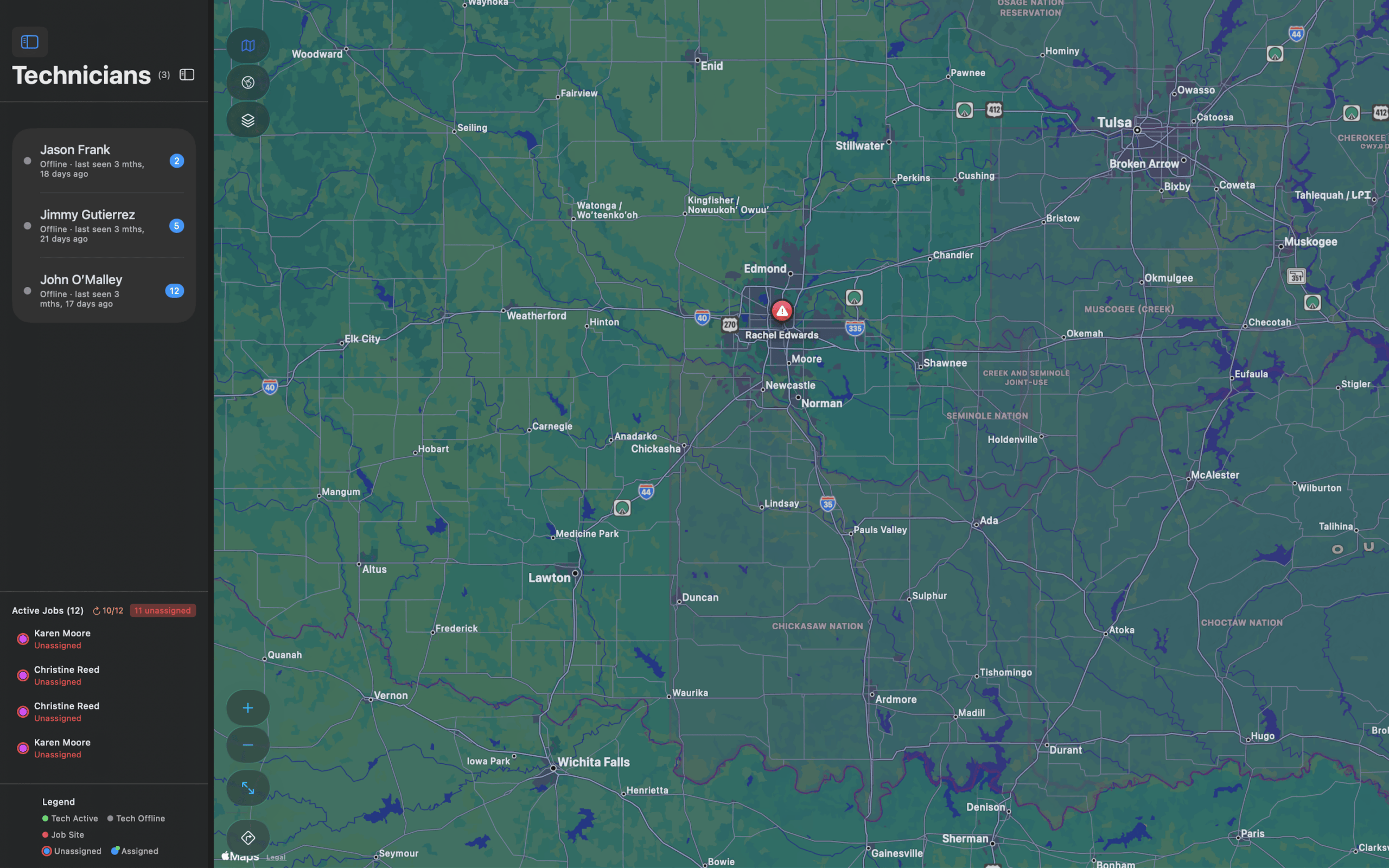
See technicians and active jobs on a map, colored by assigned and unassigned. Optimize routes and send them to Apple Maps.
Inventory control
Track products and services with stock levels, pricing, and variations. Get low-stock alerts and receive shipments with cost tracking.

Customer management
Keep every customer’s contact details, service addresses, equipment, and job history together. Address autocomplete makes entry fast.

Professional invoices
Branded PDF invoices and estimates with your logo and colors, sent by email or text. Connect Square, Stripe, or PayPal and every invoice carries a way to pay: a Pay Now button when it’s emailed or texted, and a QR code the customer can scan when it’s printed.
Insights at a glance
Your dashboard shows how the business is doing.
- Active jobs and completion rates
- Revenue trends by week, month, or quarter
- Job status breakdown
- Recent payments and activity
- Low-stock alerts

Works with DispatchD
Your technicians use DispatchD on their own iPhone or iPad. Jobs you assign appear on their device, and their notes, photos, service reports, and payments come back to Base Ops through iCloud.

Built for the Apple ecosystem
Base Ops works with the tools you already use: Apple Calendar, Apple Maps, iCloud, and Square, Stripe, and PayPal for payments.
Ready to streamline your business?
Set up Base Ops in about 15 minutes with the step-by-step guide.
Coming soon to the App Store